JARVISA Rooyande product

Your whole day in one place. Even offline.

Tasks, calendar, notes, study and money. Persian-first, Solar Hijri, and always within reach.

Not released yet. A closed, invite-only beta comes first.
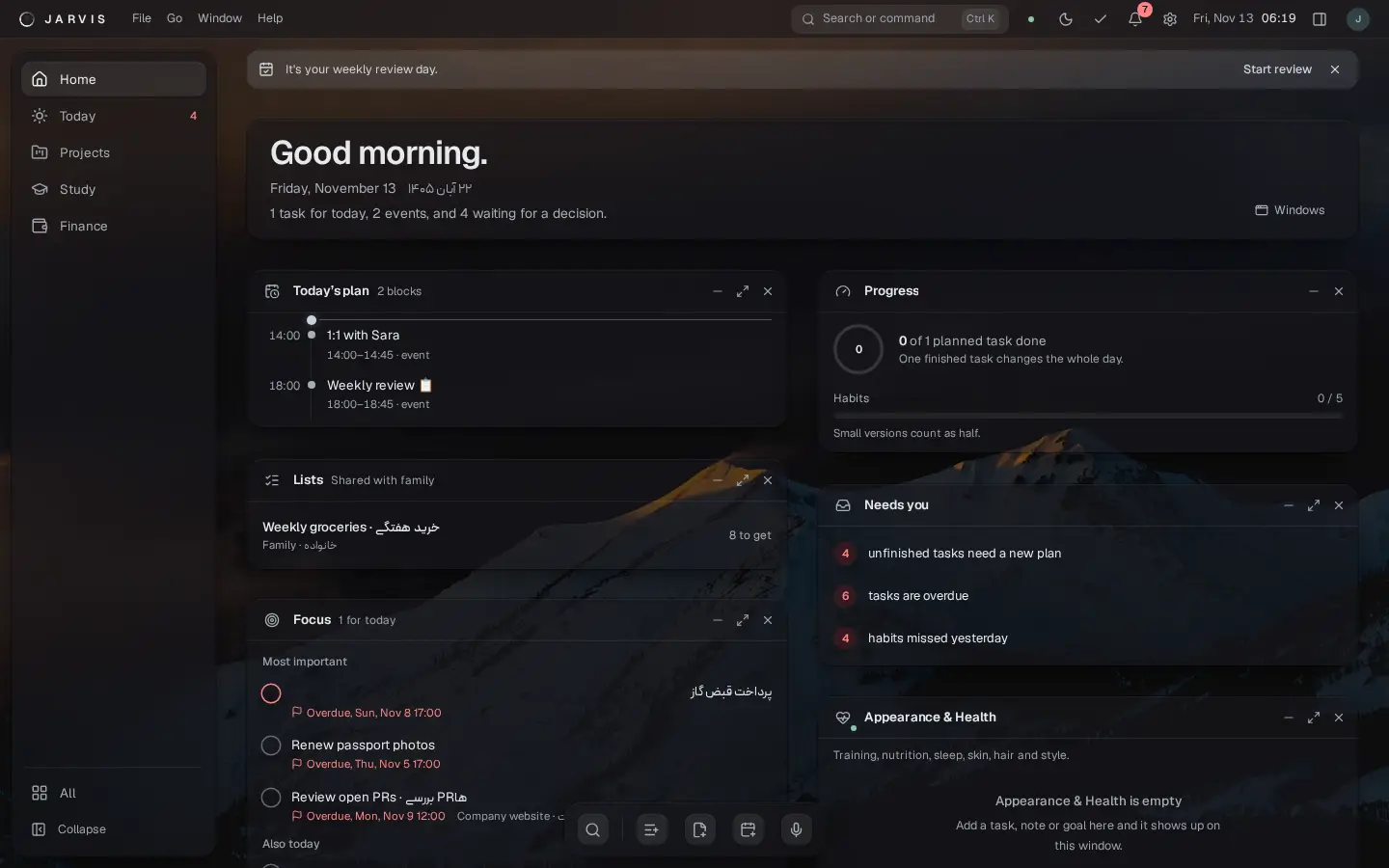
Real screenshot of JARVIS with demo data: the home screen with today’s plan, lists and the most important tasks.
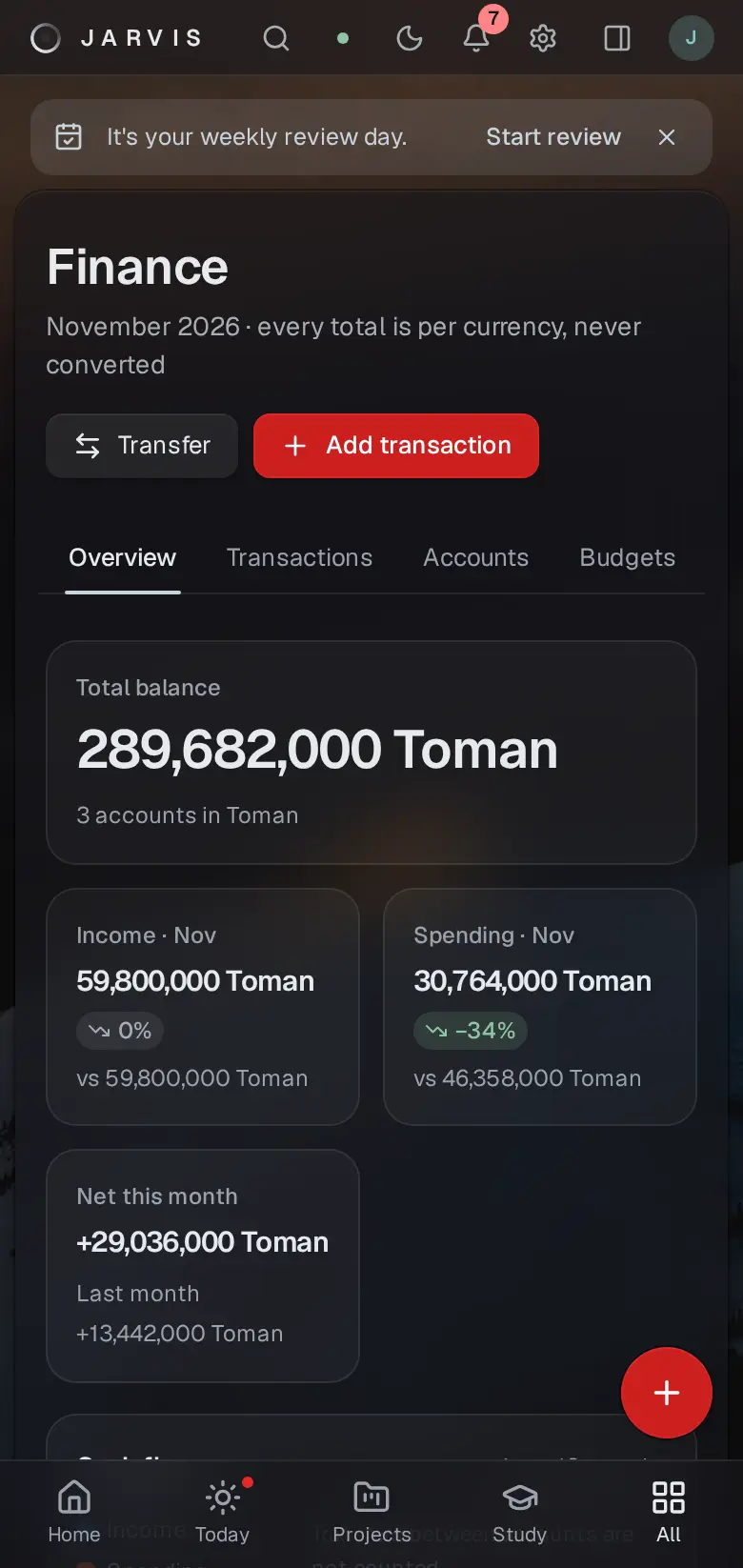
Real screenshot of JARVIS with demo data on a phone: the Finance screen with balance, income, spending and a cash-flow chart.

Five apps, three notebooks, one busy mind.

  • Tasks in one app, the calendar in another.
  • Notes in a notebook, money in saved messages.
  • And you in the middle, remembering all of it.

JARVIS keeps them side by side.

Everything your day needs

The modules are already built. You don’t design anything. You just use it.

Tasks and the daily plan

Every morning, one clear list for today.

Solar Hijri calendar

Native, not converted from Gregorian.

Linked notes

Notes connect to each other and to tasks.

Projects and phases

Break big work into small phases.

Goals and habits

Each day’s progress at a glance.

Personal finance

Simple money in, money out.

Study and flashcards

Terms, courses, topics, and timely review.

Family and groups

Shared lists with the people close to you.

The internet went down. Your plan didn’t.

Everything is stored on your own device. When you reconnect, it syncs by itself, and no change is ever lost silently.

  1. The connection drops
  2. You keep writing
  3. You reconnect
  4. Synced

Start from your own template

Pick your role and get a plan that is already laid out. Two minutes, not two weeks.
Student

  • Terms, courses and topics, already arranged.
  • Flashcards with scheduled review.
  • Your exam plan next to today’s tasks.
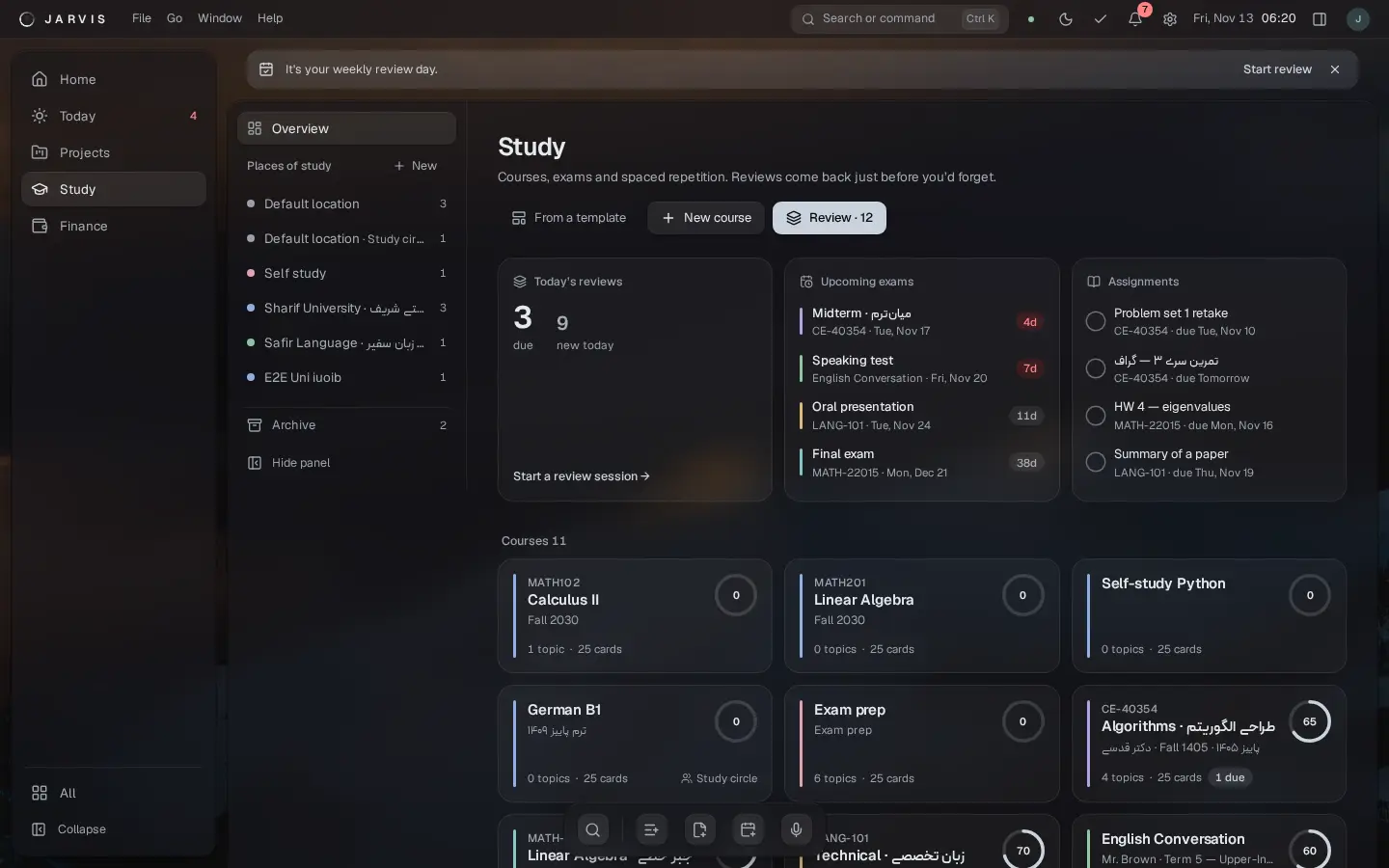
Real screenshot of JARVIS with demo data: the Study screen with today’s reviews, upcoming exams and courses.

Business owner

  • A project with phases for every client.
  • Simple money tracking, no heavy accounting.
  • Follow-ups land in that day’s plan.
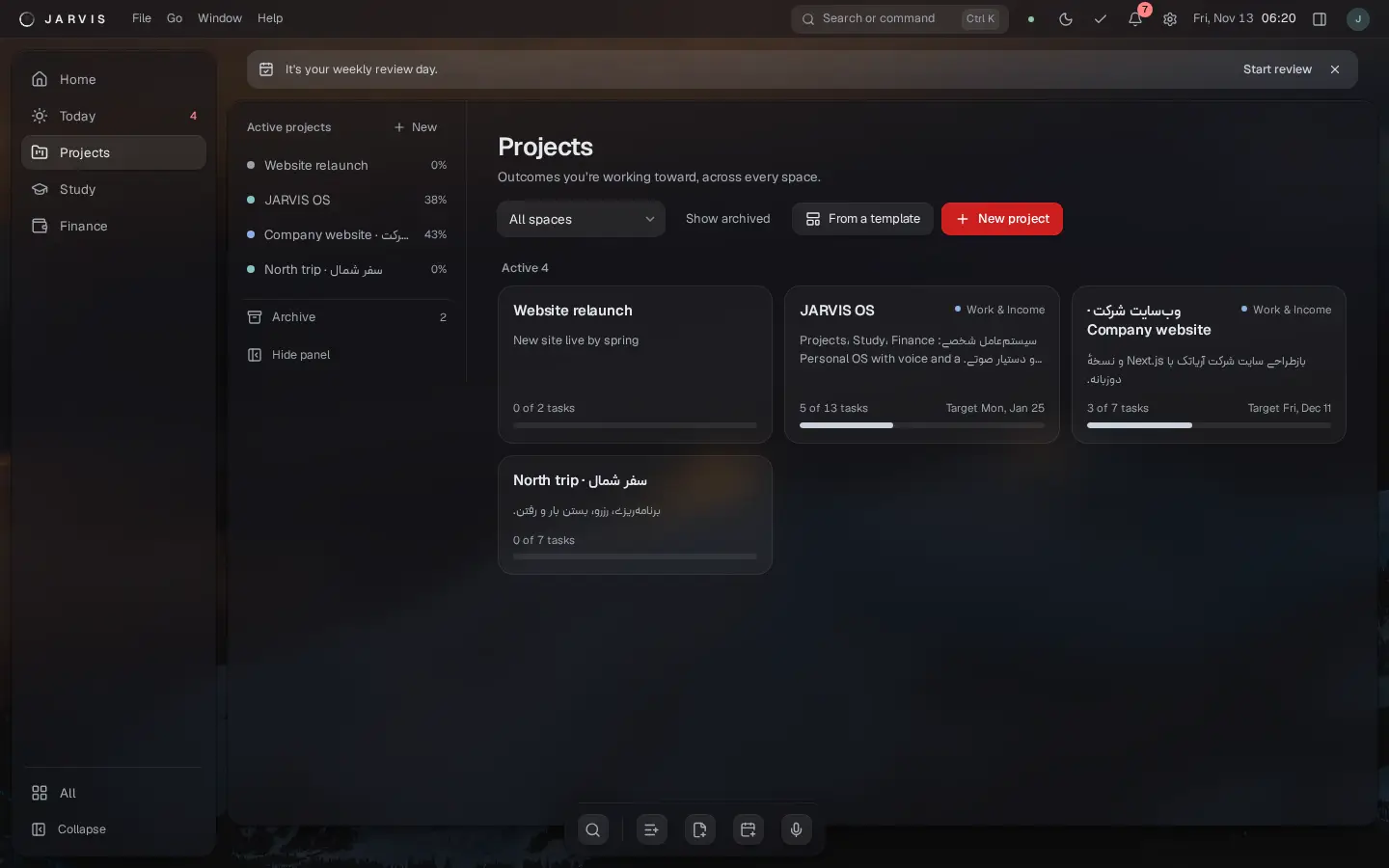
Real screenshot of JARVIS with demo data: the Projects screen with active projects and their progress.

Everyday

  • Tasks and groceries in one list.
  • Habits at a glance.
  • Bills and instalments on the calendar.
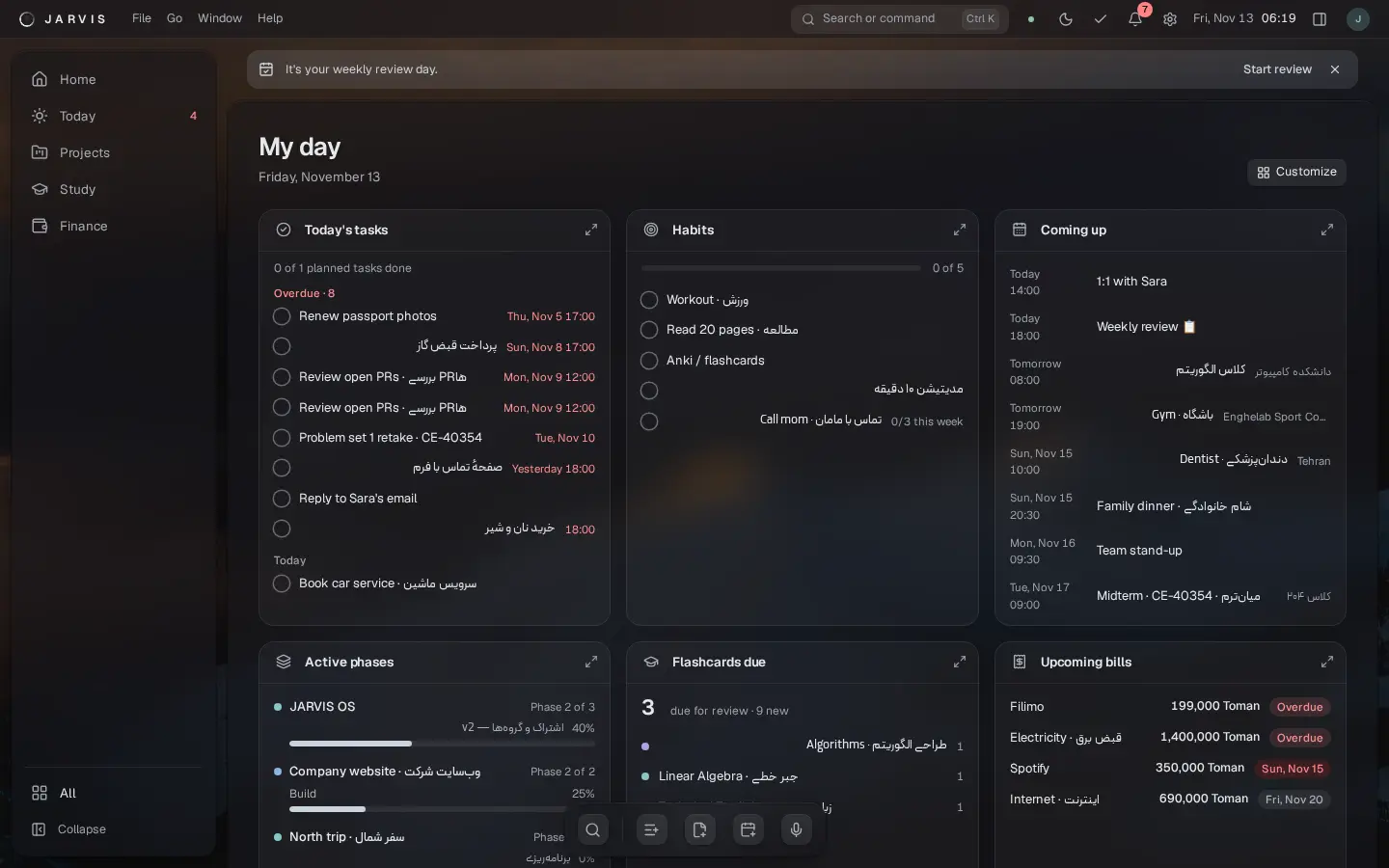
Real screenshot of JARVIS with demo data: the Today screen with tasks, habits, events and active projects.

On your home screen

A widget with today’s tasks, without opening the app. And quick capture, for the thing that just crossed your mind.

Coming with the Android app

Your data is yours.

  • Full export, always free

    Take all of your data with you whenever you like. On every plan.

  • Delete your account, no negotiation

    You remove your account and your data yourself, from inside the app.

On your device

  • Every module and all of your data
  • On the Offline plan, nothing leaves the device

On our server

  • Only if you turn Sync on
  • A copy of your data, for sync and backup

Start free. Sync when you’re ready.

Offline

Everything, on one device

  • Every module
  • No account needed
  • Full data export
Download free

Sync

Our pick

For several devices

  • Sync across devices
  • Cloud backup, 1 GB
  • One group of up to 5
Try free for 14 days

Plus

Soon

When the assistant is ready

  • Everything in Sync
  • Agents and AI (soon)
  • 5 GB and 5 groups
Notify me

Pro

For heavy use

  • Everything in Plus
  • Higher limits
  • 25 GB and 20 groups
Choose Pro

Family

Up to 5 people

  • Plus for the whole family
  • 20 GB shared
  • Family lists
Choose Family

Install in a minute

Android

Soon

A direct APK link. No store required.

  1. Download the file.
  2. Allow installs from this source.
  3. Open it and pick your template.

Version, size and the SHA-256 fingerprint will be listed here at release.

Notify me

iPhone and iPad

Add the web app to your home screen.

  1. Open the web app address in Safari.
  2. Tap the Share button.
  3. Choose “Add to Home Screen”.

Web app

Soon

In any browser, nothing to install.

app.rooyande.ir

During the closed beta, sign-in needs an invite code.

Common questions

How do I pay?

For now, by bank card transfer in Iran. Payments are confirmed within 12 hours and the plan is switched on. An online payment gateway is coming.

What if I lose my phone?

On the Offline plan your data lives only on that device, so export it now and then and keep a copy elsewhere. With Sync there is a backup on the server, and signing in on a new device brings everything back.

How long is it free?

Always. The Offline plan includes every module on one device, with no time limit.

Where is my data?

On your own device. Only when you turn Sync on does a copy go to our server, for sync and backup. Full export and account deletion are always free.

Can I get a refund?

Yes. You can ask for a refund within 7 days of purchase.